
Support

How to Remove the AppGate Icon from Your Desktop (to remove java web start cached apps)

After installing the new version of CADpass, I no longer have an icon on my desktop or the icon on the desktop doesn’t work. How do I fix that? (To remove a java web start cached apps).

1. Go to the Windows Control Panel – and open the Java Control Panel.
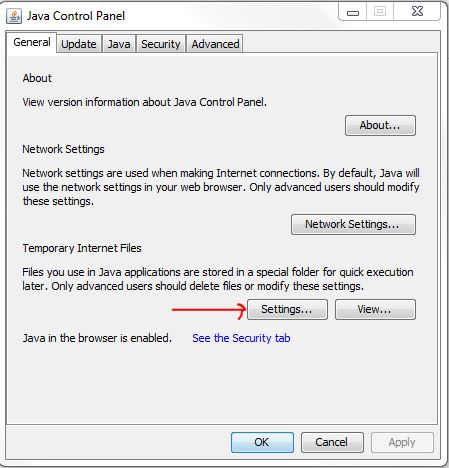
2. Click Settings.
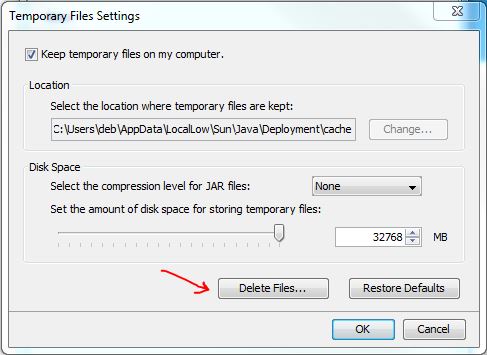
3. Click Delete Files….
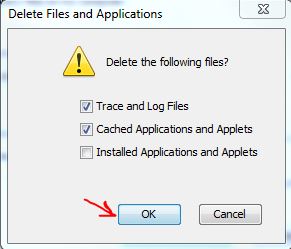
4. Click OK.

Then if you delete the app, a desktop shortcut will be re-instated, when you reinstall CADpass.

Does your research benefit from products and services provided by CMC Microsystems?
Scroll to Top
Our office is closed today in observance of Canada Day and will resume operations on the next business day. We’ll respond to your message as soon as possible when we’re back.
Wishing you a wonderful and safe Canada Day!
Skip to content